> ## Documentation Index
> Fetch the complete documentation index at: https://docs.nomos.energy/llms.txt
> Use this file to discover all available pages before exploring further.
# Customer Portal
> Designed for self-service.
## We built a customer portal so you don't have to
Launch a self-service portal for invoices, prices, consumption, and account management without writing a frontend. The portal is themed to your brand, signs customers in with a one-time email code, and ships every new Nomos feature automatically.
```
https://{plan.slug}.customerportal.energy/
```
 ## What customers get
Every section is a real route. There is no feature flag to enable any of it.
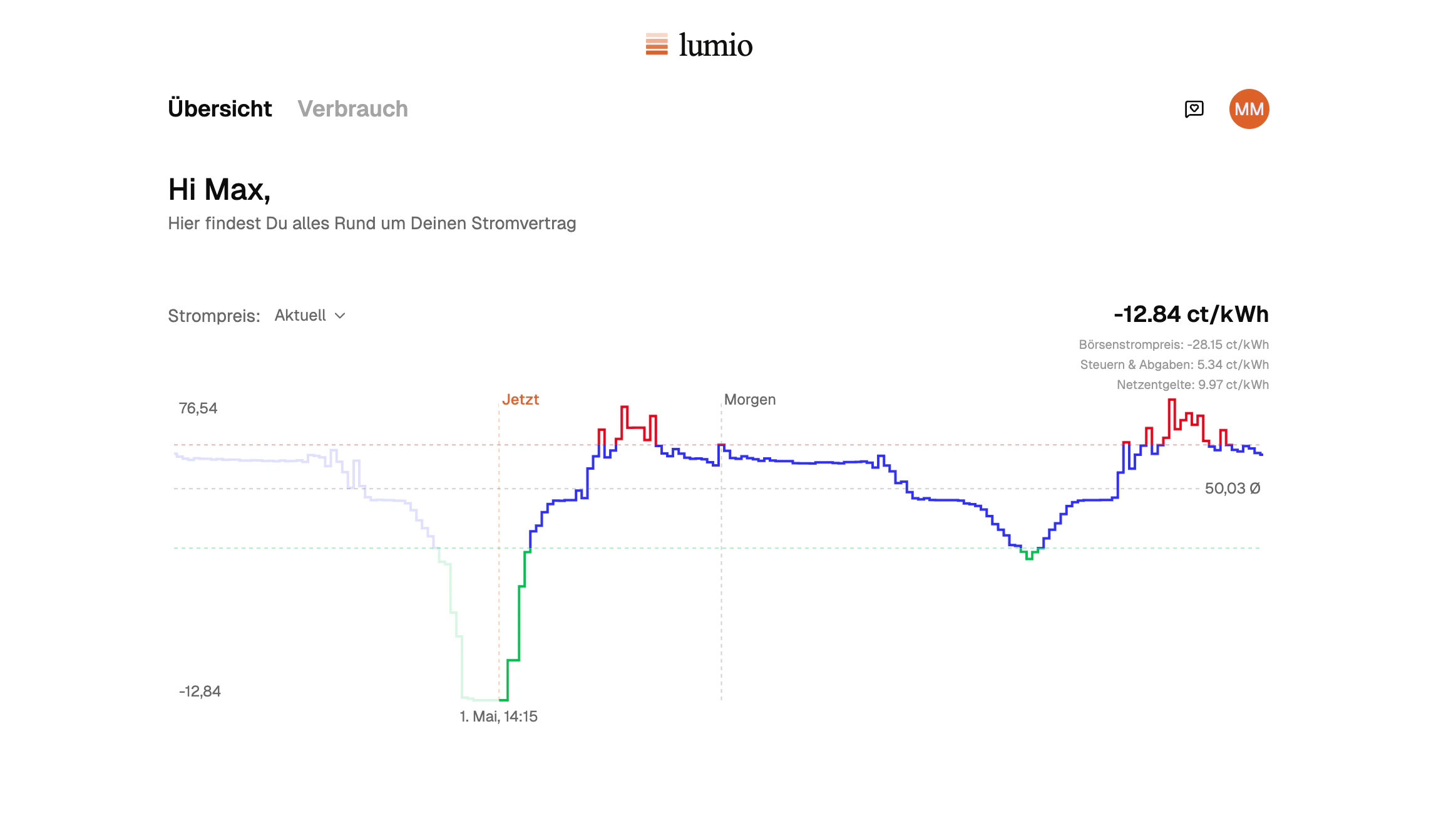
* **Dashboard.** Today's and tomorrow's dynamic prices, current consumption, contract status, the next bill at a glance.
* **Invoices.** A paginated list of every invoice on the subscription. Each opens to a detail view with a consumption breakdown and a downloadable PDF.
* **Consumption.** Daily, weekly, and monthly meter data charted against price. Customers without a smart meter can submit a manual reading from the same screen.
* **Tariff overview.** Working price, basic price, grid fees, contract dates, cancellation, meter swap.
* **Account.** Personal details, payment method (SEPA / IBAN), delivery and billing addresses.
* **Product orders.** Smart-meter rollout status and any add-on products the customer has ordered.
* **Help.** A localized help center wired to your support channel.
## Sign-in
The default is a one-time code by email. To drop an already-authenticated customer straight in from your own app, use [portal single sign-on](/guides/magic-link).
They open `https://{plan.slug}.customerportal.energy/login`.
Nomos checks the email against the customers on your plan and sends a
six-digit code.
They're signed in. The session persists; no password is involved.
## FAQ
Yes. Append the path to the portal URL (e.g. `https://{plan.slug}
.customerportal.energy/invoices`). The customer is prompted to sign in if
needed and lands on the deep-linked page after. [Portal single
sign-on](/guides/magic-link) accepts a `next` parameter for the same outcome
when minting from your backend.
Yes. If a customer has more than one active subscription, the portal shows a
switcher in the header.
Not in the hosted portal. If you need bespoke copy or layout, [build your
own](/guides/customer-portal) against the API.
## What customers get
Every section is a real route. There is no feature flag to enable any of it.
* **Dashboard.** Today's and tomorrow's dynamic prices, current consumption, contract status, the next bill at a glance.
* **Invoices.** A paginated list of every invoice on the subscription. Each opens to a detail view with a consumption breakdown and a downloadable PDF.
* **Consumption.** Daily, weekly, and monthly meter data charted against price. Customers without a smart meter can submit a manual reading from the same screen.
* **Tariff overview.** Working price, basic price, grid fees, contract dates, cancellation, meter swap.
* **Account.** Personal details, payment method (SEPA / IBAN), delivery and billing addresses.
* **Product orders.** Smart-meter rollout status and any add-on products the customer has ordered.
* **Help.** A localized help center wired to your support channel.
## Sign-in
The default is a one-time code by email. To drop an already-authenticated customer straight in from your own app, use [portal single sign-on](/guides/magic-link).
They open `https://{plan.slug}.customerportal.energy/login`.
Nomos checks the email against the customers on your plan and sends a
six-digit code.
They're signed in. The session persists; no password is involved.
## FAQ
Yes. Append the path to the portal URL (e.g. `https://{plan.slug}
.customerportal.energy/invoices`). The customer is prompted to sign in if
needed and lands on the deep-linked page after. [Portal single
sign-on](/guides/magic-link) accepts a `next` parameter for the same outcome
when minting from your backend.
Yes. If a customer has more than one active subscription, the portal shows a
switcher in the header.
Not in the hosted portal. If you need bespoke copy or layout, [build your
own](/guides/customer-portal) against the API.