Documentation Index

Fetch the complete documentation index at: https://docs.nomos.energy/llms.txt

Use this file to discover all available pages before exploring further.

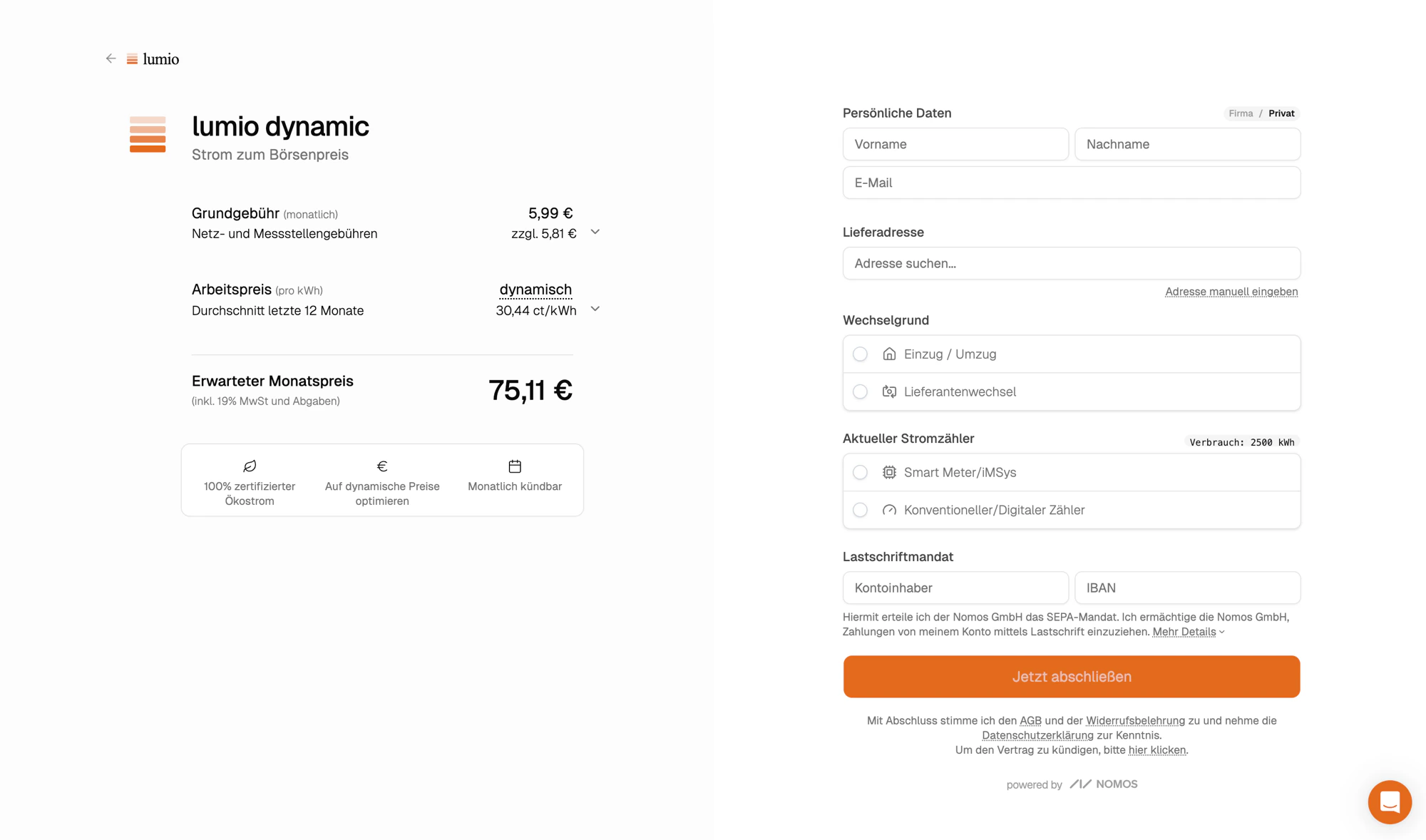
A regulated energy checkout is a lot of UI work: address validation, supplier search, IBAN handling, plausibility checks, German-market copy, accessibility. Hosted checkout is the shortcut. Point customers at a URL on a Nomos-managed domain, and Nomos renders the form, validates the inputs, creates the subscription, and hands the customer back to you.

When to use it

Pick hosted checkout if you want to ship a signup flow in days rather than weeks and you’re fine with customers briefly leaving your domain, the same way they would for a Stripe-hosted payment page. If you need pixel-level control, see Build your own checkout; both paths produce the same subscription resource and emit the same webhooks.

How it works

1

Link to hosted checkout

Add a link or button on your site that points to your Nomos-hosted checkout URL, optionally pre-filled with what you already know (zip code, expected usage, lead ID).
2

Customer lands on a branded page

The page is white-labeled to your organization: your colors, your logo, your font.
3

They complete the form

Nomos validates the address, checks the supplier directory, runs plausibility checks on usage, and creates the subscription.
4

Customer is redirected

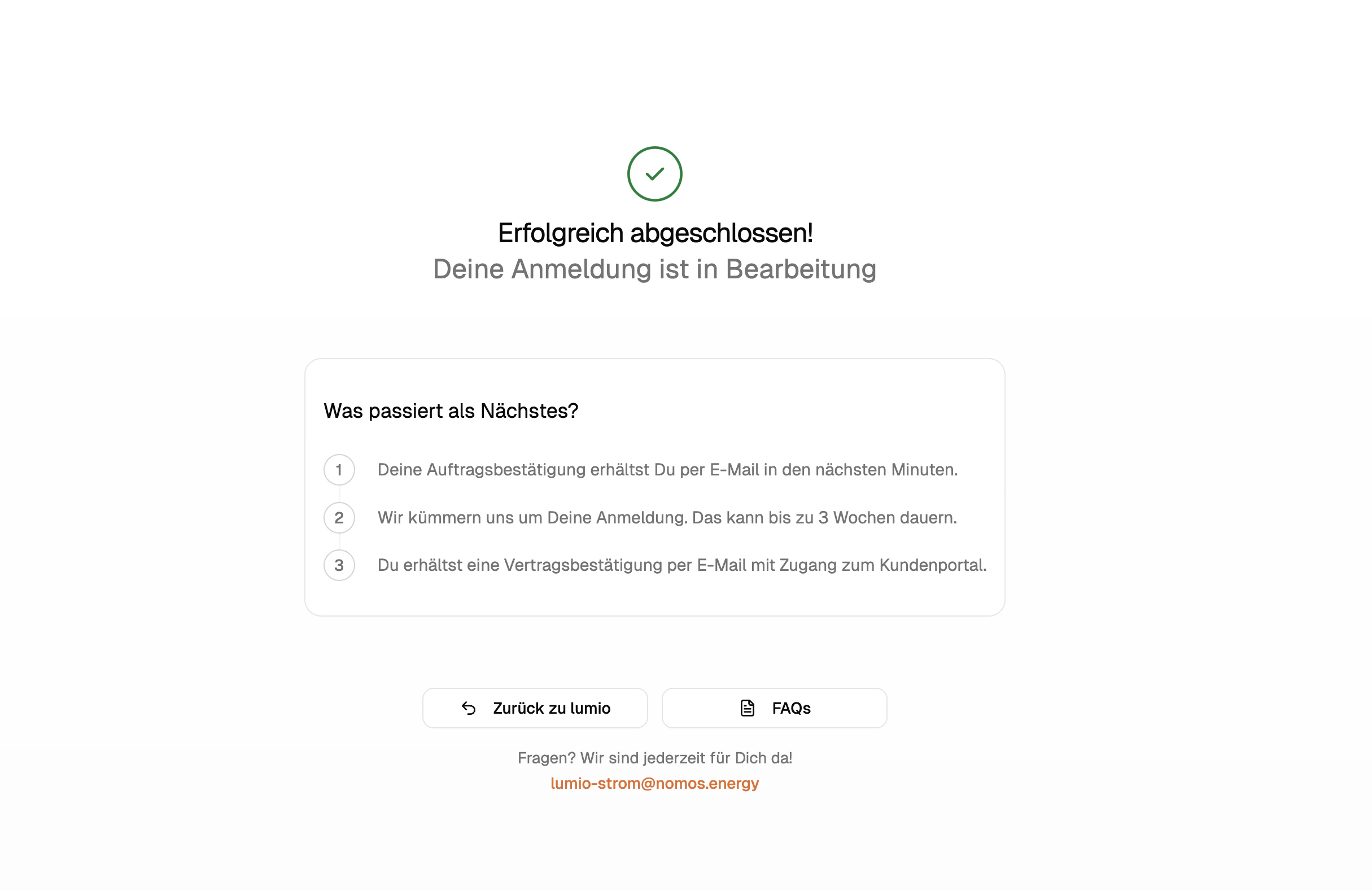
Nomos redirects to a URL you control (configured per plan), or to a hosted confirmation page if you don’t set one.
5

Your backend reacts

subscription.created fires immediately. subscription.confirmed fires later, once the grid operator has accepted the contract.

Your URL

Each plan gets its own subdomain on checkout.energy, derived from the plan’s slug:
https://{plan-slug}.checkout.energy/
Send customers there and they land on the right plan, branded to your org. No path parameters, no plan ID lookup.

Pre-fill query parameters

You almost always know something about the customer before they reach checkout: at least their zip code, often their household size or an existing lead. Pass that through as query params and the form arrives pre-filled.
ParamTypeWhat it does
zipstringGerman postal code. Drives the price quote and unlocks the rest of the form.
usageintegerAnnual electricity usage in kWh. 2500 is a reasonable default for a 2-person household.
idstringA lead ID (lead_…). Pre-fills name, email, address, and IBAN from the lead record.
metadata.<key>stringArbitrary key/value pairs persisted on the resulting subscription’s metadata.
metadata.emailstringEmail of the rep or partner credited for the conversion. Persisted as credited_to on the subscription.
Example: an existing lead with a known address.
https://acme.checkout.energy/?id=lead_a8n8ol7yd4h0wohx824f0bui
Example: a fresh prospect with a zip and an estimated usage.
https://acme.checkout.energy/?zip=10115&usage=3500
Example: attribution metadata you want to keep on the subscription.
https://acme.checkout.energy/?zip=10115&metadata.installer=Solarbieber&metadata.campaign=spring-2026
If you’ve already collected the customer’s details in your own lead form, create a lead via the API and send them to hosted checkout with ?id={lead.id}. The form arrives with name, email, address, and IBAN already filled in; the customer only confirms.

Branding

Hosted checkout is white-labeled by default. It reads from your org and applies:
  • Colors from orgs.colors: primary, accent, surface, etc.
  • Logo from orgs.logo, shown in the header.
  • Font from orgs.font, loaded automatically.
  • Plan-level overrides via plans.colors and plans.fonts, useful when one org runs multiple sub-brands.
The Nomos brand never appears. Customers see your organization end-to-end. To update branding, change the values on your org (or plan) and the next page load picks it up. There’s no separate checkout config to maintain.

Redirect after submission

When the customer completes the form, Nomos redirects to the URL configured in plans.redirect_url. Use this to drop them on a “thank you” page on your own site, your customer portal, or wherever your post-purchase flow lives. If redirect_url is empty, Nomos shows a hosted confirmation page: a branded “we got it, here’s what happens next” view. Most partners set their own redirect URL once they have a portal; the hosted confirmation page is a fine default until then.

React on your backend

The redirect is the customer-facing handoff. The machine-facing handoff is webhooks; that’s what should drive your portal, CRM, and email flows. Two events fire over the lifetime of a hosted-checkout signup, separated in time:
  • subscription.created fires immediately after the form is submitted. Use it to provision your own user record.
  • subscription.confirmed fires later, once the grid operator has accepted the switch. Use it for confirmation emails and to unlock portal access.
switch (event.topic) {
  case "subscription.created":
    // Create the user in your system, link to event.context.subscription.
    break;
  case "subscription.confirmed":
    // Send your confirmation email, unlock portal access.
    break;
}
Subscriptions originating from hosted checkout are tagged with source: "checkout", which lets you distinguish them from API-created or dashboard-created subscriptions when you process webhooks. For the full webhook setup including signature verification and retries, see Webhooks.

Hosted vs. build your own

Both paths land in the same place. Pick based on how much UI control you need.
Hosted checkoutBuild your own
Time to liveHours (link in your nav)Days to weeks
UI controlBranded via colors, logo, fontPixel-level: it’s your code
Address validationBuilt inYou wire up Plans quote
IBAN / SEPA UXBuilt inYou build it
Domain in URL bar{plan-slug}.checkout.energyYours
Post-checkout stateWebhooks + redirect URLSame
Many partners start on hosted checkout to launch fast, then migrate flows that need bespoke UX to a custom-built checkout. Both can coexist on the same org.