

Pre-fill the checkout with what you already know
Create a lead with everything you know about the prospect, and the response includes a pre-filled checkout link. Send it however you want (email, SMS, in-app, QR code) and the customer confirms instead of typing. Every field you set on the lead is one field they don’t see, and the link stays valid until the lead converts.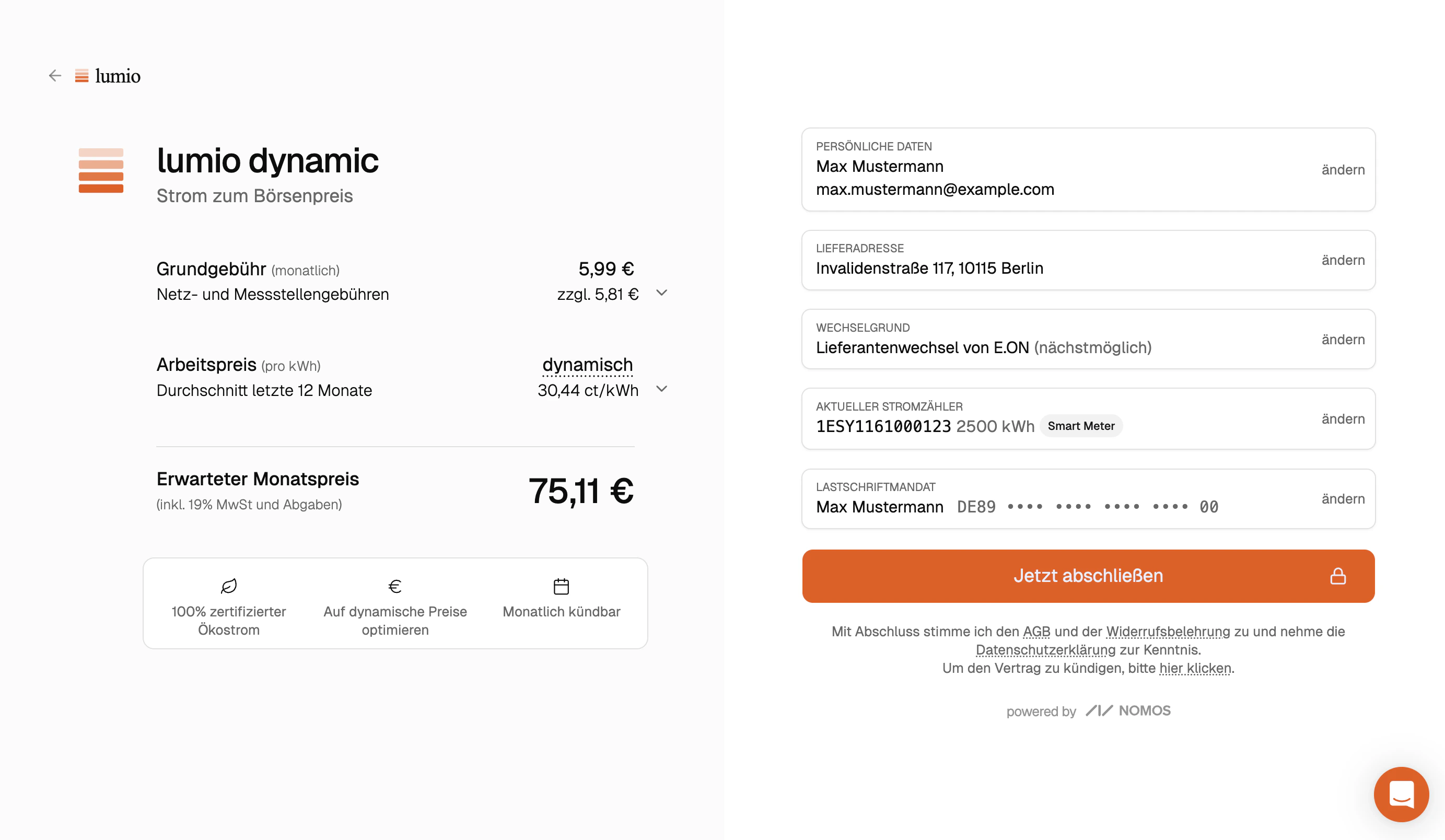
Example: opening a lead link drops the customer on the checkout with their data pre-filled
What goes on a lead
Create leads via the dashboard or API (Create a lead). The minimum useful lead carriesplan, an address with at least a zip, and a meter.estimated_usage. Add customer, payment_method, and previous_supplier as you collect them; every field you set is one field the customer doesn’t see.
meter.estimated_usage is the yearly consumption in kWh, at least 100. It sets the price the customer sees first, and once they sign up it becomes the starting consumption forecast, which sets the monthly prepayment on prepaid plans. If you don’t know it, send a typical value such as 2500: the customer can correct it in the form, which also offers an estimate from their household size.
Attribution
Setcreated_by when you create the lead. It’s the email of the rep or agent credited for the conversion. Combined with metadata (UTMs, campaign IDs, internal user IDs), you have everything needed to attribute every signup back to the prospecting flow that produced it.
When the lead converts, a subscription.created webhook fires with the lead ID in the event context. The lead also carries subscription and subscribed_at. Poll Retrieve a lead if that fits your stack better than webhooks.
FAQ
How long does the link stay valid?
How long does the link stay valid?
Indefinitely, as long as the lead hasn’t been converted. Send follow-up
reminders without re-creating the lead.
Can the customer edit pre-filled data?
Can the customer edit pre-filled data?
Yes. Every field is editable in the form; the lead provides defaults, not a
lock.
What if I don't have a previous supplier yet?
What if I don't have a previous supplier yet?
Omit
previous_supplier. The customer picks one in the form. Move-ins don’t
need a previous supplier at all.Can multiple subscriptions come from one lead?
Can multiple subscriptions come from one lead?
No. A lead converts to exactly one subscription. Create a new lead for a
second product.
Can I update or delete a lead?
Can I update or delete a lead?
Not through the API: leads are create-only. Edit or delete them in the
dashboard, or create a new lead when
the data changes and send that link instead.
What happens if I create two leads for the same person?
What happens if I create two leads for the same person?
Nomos doesn’t deduplicate leads, so both exist and both links work. Only the
lead the customer signs up through converts.